
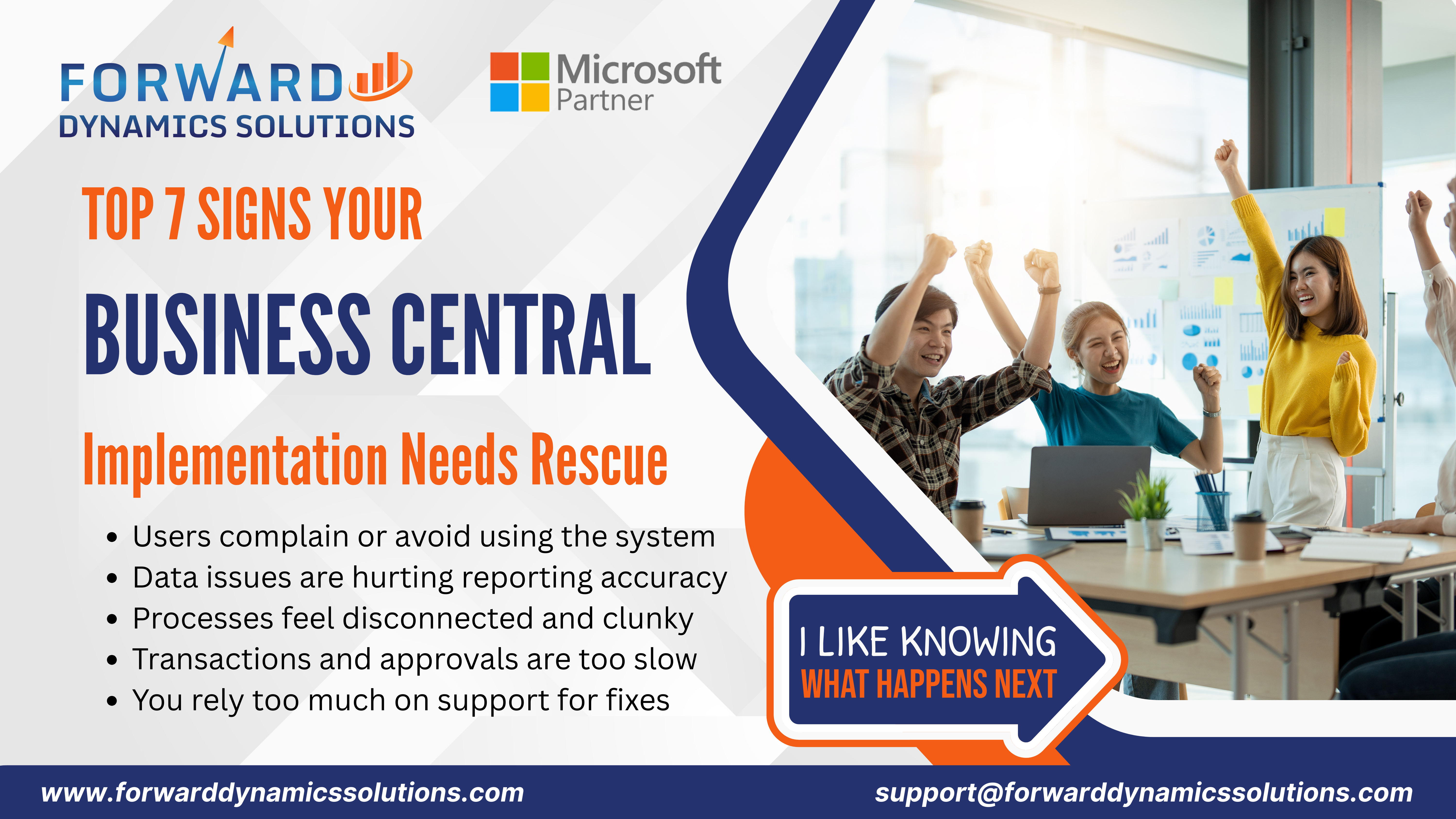
Microsoft Dynamics 365 Business Central continues to help organizations improve financial visibility, streamline operations, and support better decision-making. For many businesses, implementing Business Central represents an important step toward modernization and long-term growth.
However, every implementation journey looks different. Some organizations quickly realize value, while others experience challenges that prevent the system from delivering its full potential. When Business Central feels difficult to use, reporting becomes inconsistent, or processes remain disconnected, it may be time to evaluate the implementation and identify opportunities for improvement.
The good news is that an underperforming ERP system can often be transformed into a powerful business asset with the right strategy, expertise, and support.
Recognizing warning signs early allows organizations to address challenges before they affect productivity, user adoption, and business growth. A Business Central rescue initiative focuses on optimizing configurations, improving workflows, strengthening integrations, enhancing user experiences, and aligning the system with organizational goals.
This guide explores the most common signs that indicate your Business Central implementation may benefit from a rescue and optimization strategy. More importantly, it provides practical steps that can help restore momentum and maximize your ERP investment.
Why Does a Business Central Implementation Lose Momentum?
A successful ERP implementation depends on much more than software deployment. User adoption, process alignment, system configuration, data quality, and business strategy all contribute to long-term success.
When one or more of these areas become misaligned, organizations may begin experiencing reduced efficiency and slower value realization.
Understanding why implementations lose momentum helps organizations identify improvement opportunities before challenges become larger obstacles.
Early Configuration Decisions Influence Long-Term Performance:
The foundation established during implementation plays a significant role in future system performance.
Business Central offers extensive flexibility, which creates opportunities to tailor the solution to specific business requirements. However, configurations that do not fully align with operational needs can create inefficiencies over time.
Common examples include:
- Incomplete Role Configuration: Users may struggle to access the information they need.
- Generic Workflows: Processes may not reflect how teams actually work.
- Limited Automation Usage: Employees continue relying on manual activities.
- Reporting Gaps: Decision-makers lack visibility into critical metrics.
When configurations align closely with business processes, organizations often experience stronger adoption and greater operational efficiency.
Limited User Adoption Reduces ERP Value:
An ERP system delivers its greatest value when employees actively use its capabilities.
When adoption levels remain low, organizations often miss opportunities to improve productivity and visibility.
Indicators of limited adoption may include:
- Continued Spreadsheet Dependence: Employees rely on external tools instead of Business Central.
- Manual Workarounds: Teams create alternative processes outside the ERP system.
- Low User Engagement: Employees use only a small portion of the available functionality.
- Frequent Process Inconsistencies: Different departments follow different procedures.
Strong adoption strategies help organizations maximize the value of their Business Central investment.
Process Misalignment Creates Operational Friction:
Business processes should work together seamlessly across departments.
When workflows become disconnected, employees often spend more time managing information and less time focusing on value-generating activities.
Process misalignment can affect:
- Finance Operations
- Inventory Management
- Procurement Activities
- Customer Service Processes
- Reporting and Analytics
Business Central should simplify operations, improve visibility, and strengthen collaboration across the organization.
Warning Signs That Point to a Business Central Rescue Opportunity
Many ERP challenges begin as small inefficiencies. Over time, these inefficiencies can affect productivity, reporting accuracy, user satisfaction, and overall business performance.
Recognizing early warning signs allows organizations to take corrective action before operational challenges grow more significant.
A Business Central rescue initiative focuses on identifying these warning signs and creating a roadmap for improvement.
Small Problems Often Grow into Larger Operational Challenges:
Minor issues can gradually affect broader business operations.
For example:
- Slow Approval Processes: Can delay financial and operational decisions.
- Duplicate Data: Can reduce confidence in reports and analytics.
- Disconnected Systems: Can create additional administrative work.
- Limited Automation: Can increase workloads for employees.
Addressing these challenges early helps organizations maintain momentum and improve overall performance.
Early Intervention Protects ERP Investments:
Organizations invest significant time and resources into ERP implementations.
A rescue assessment helps ensure that investment continues delivering value.
Benefits of early intervention include:
- Improved User Experiences: Employees gain confidence using the system.
- Better Data Quality: Reporting becomes more accurate and actionable.
- Enhanced Efficiency: Workflows become streamlined and connected.
- Greater Business Value: The ERP system aligns more closely with organizational goals.
The sooner organizations identify improvement opportunities, the easier it becomes to optimize performance.
Why Does Your Team Struggle to Use Business Central Every Day?:
One of the clearest signs that a Business Central implementation needs attention involves daily user experiences.
Business Central should help employees work more efficiently. When teams experience frustration, confusion, or difficulty completing routine tasks, the system may require optimization.
User challenges often stem from configuration issues, limited training, underutilized automation, or workflows that do not align with operational requirements.
Role-Based Configurations Improve User Experiences:
Every employee interacts with Business Central differently.
Finance professionals, sales teams, inventory managers, and executives all require access to different information and capabilities.
When role configurations remain generic, users may struggle to navigate the system effectively.
Benefits of optimized role-based experiences include:
- Personalized Dashboards: Users see the information most relevant to their responsibilities.
- Faster Navigation: Employees access tasks and reports more efficiently.
- Improved Productivity: Less time spent searching for information.
- Better User Satisfaction: The system feels easier and more intuitive to use.
A Business Central rescue assessment often begins by reviewing role configurations and user experiences.
Automation Reduces Repetitive Administrative Work:
Business Central includes powerful automation capabilities that help organizations streamline operations.
When employees continue performing repetitive manual tasks, automation opportunities may remain underutilized.
Examples include:
- Invoice Processing Automation: Reduce administrative effort.
- Approval Workflow Automation: Accelerate decision-making.
- Inventory Updates: Improve accuracy through automated processes.
- Financial Reconciliation Activities: Streamline month-end tasks.
Automation helps employees focus more time on strategic activities while improving consistency and efficiency.
Targeted Training Encourages System Adoption:
Training plays a critical role in ERP success.
Even well-configured systems can underperform when users lack confidence or understanding.
Effective training programs provide:
- Role-Specific Guidance: Employees learn features relevant to their responsibilities.
- Practical Examples: Training reflects real business scenarios.
- Ongoing Learning Opportunities: Users continue developing skills after go-live.
- Greater Confidence: Teams become more comfortable utilizing advanced capabilities.
Organizations that invest in user education often experience stronger adoption and improved business outcomes.
User Engagement Supports Long-Term Success:
Employee engagement contributes significantly to ERP success.
When users understand the value of Business Central and feel supported throughout the journey, adoption tends to improve naturally.
Forward Dynamics Solutions helps organizations strengthen user engagement through:
- User Experience Reviews
- Training Programs
- Process Optimization Workshops
- Adoption Improvement Strategies
These initiatives help transform Business Central into a system employees actively embrace rather than simply use.
Business Central Adoption Falling Short?
How Does Poor Data Quality Impact Business Performance?
Business Central serves as the central source of information for many organizations. Leaders depend on accurate data to make decisions, monitor performance, and identify growth opportunities. When data quality begins to decline, confidence in reports, forecasts, and operational insights can decline as well.
Many Business Central rescue projects begin with a detailed review of data quality because even small inconsistencies can affect multiple departments across the organization.
Reliable data supports efficiency, while inconsistent data can create additional work for employees and management teams.
Clean Data Improves Reporting Accuracy:
Business reports are only as valuable as the data behind them.
When duplicate records, incomplete entries, or outdated information exist within the system, reporting accuracy can suffer. Teams may spend valuable time validating information rather than acting on insights.
Common data quality challenges include:
- Duplicate Customer Records: Multiple entries create confusion and reporting inconsistencies.
- Missing Financial Information: Reports may provide incomplete business visibility.
- Inaccurate Inventory Data: Stock levels become difficult to manage effectively.
- Inconsistent Naming Conventions: Information becomes harder to locate and analyze.
A structured data cleanup initiative helps organizations improve reporting accuracy and restore confidence in business information.
Data Governance Supports Better Decisions:
Strong data governance creates consistency across departments.
When information follows defined standards and processes, employees gain greater trust in the ERP system and the reports it produces.
Benefits of improved data governance include:
- Greater Reporting Consistency: Teams access reliable information across the organization.
- Improved Compliance Support: Data follows established policies and procedures.
- Better Forecasting Accuracy: Leadership teams make decisions using dependable insights.
- Stronger Operational Visibility: Information remains current and organized.
Business Central performs best when supported by a disciplined approach to data management.
Integration Optimization Strengthens Information Flow:
Many organizations connect Business Central with CRM platforms, eCommerce systems, payroll solutions, warehouse applications, and reporting tools.
When integrations become misaligned, data quality challenges often emerge.
Common indicators include:
- Delayed Data Updates: Information appears at different times across systems.
- Incomplete Synchronization: Certain records fail to transfer properly.
- Manual Data Adjustments: Employees spend time correcting information.
- Reporting Discrepancies: Different systems present different results.
Optimized integrations help ensure information flows consistently and accurately throughout the organization.
Reliable Data Builds Organizational Confidence:
Employees rely on Business Central to support daily decisions and activities.
When data remains accurate and dependable, confidence grows across departments.
Organizations benefit from:
- Faster Decision-Making: Teams spend less time validating information.
- Improved Productivity: Employees focus on strategic work rather than corrections.
- Better Customer Service: Accurate information supports stronger customer experiences.
- Greater Business Visibility: Leadership gains a clearer view of organizational performance.
A Business Central rescue initiative often delivers immediate value by improving the quality and reliability of business data.
What Happens When Business Processes Feel Disconnected?
One of the primary goals of ERP implementation involves connecting business functions through a unified platform. When departments continue operating in silos, organizations often experience reduced efficiency and slower communication.
Disconnected processes frequently indicate that Business Central has not been fully optimized to support operational workflows.
A rescue assessment can identify where process gaps exist and create opportunities to improve collaboration across teams.
Integrated Workflows Improve Department Collaboration:
Modern businesses depend on cooperation between finance, sales, operations, inventory, procurement, and customer service teams.
When workflows remain disconnected, information often becomes fragmented across departments.
Integrated workflows provide several advantages:
- Improved Communication: Teams access shared information more easily.
- Better Visibility: Departments understand how activities affect one another.
- Faster Responses: Information moves through workflows efficiently.
- Consistent Processes: Employees follow standardized procedures.
Business Central should serve as a platform that brings teams together rather than separating operational activities.
Connected Systems Reduce Manual Effort:
Manual processes often emerge when workflows remain disconnected.
Employees may spend time transferring information between systems, updating spreadsheets, or sending emails to share data.
These activities increase workload while reducing efficiency.
Benefits of connected systems include:
- Reduced Data Entry: Information flows automatically between applications.
- Greater Accuracy: Fewer manual updates reduce the chance of inconsistencies.
- Improved Productivity: Teams focus on higher-value activities.
- Faster Operations: Business processes move more smoothly.
Organizations frequently discover significant efficiency improvements by eliminating disconnected workflows.
Power Platform Creates Process Efficiency:
Microsoft Power Platform provides powerful tools that extend Business Central capabilities and improve workflow automation.
Forward Dynamics often uses Power Platform solutions to address process inefficiencies.
Examples include:
- Power Apps: Create custom applications that support specific business processes.
- Power Automate: Streamline approvals, notifications, and workflow activities.
- Power BI: Deliver real-time reporting and business insights.
- Integrated Dashboards: Improve visibility across departments.
These tools help organizations create a connected and efficient operational environment.
Real-Time Visibility Supports Faster Responses:
Business leaders require access to current information when making decisions.
Disconnected processes often limit visibility and slow response times.
Improved visibility supports:
- Faster Customer Service
- More Accurate Inventory Planning
- Better Financial Oversight
- Stronger Operational Coordination
Real-time access to information helps organizations remain agile and responsive.
Where Do Transaction Delays Create Operational Bottlenecks?
Business Central should help accelerate daily activities rather than slow them down. When transactions take longer than expected, organizations may experience delays that affect customer service, financial processes, and operational efficiency.
Transaction bottlenecks often indicate opportunities for workflow optimization, automation, or configuration improvements.
Identifying these bottlenecks early helps organizations improve performance and maximize ERP value.
Workflow Optimization Accelerates Approvals:
Approval processes play a vital role in many business activities.
When approvals require excessive time or manual intervention, operational efficiency can decline.
Common areas affected include:
- Purchase Approvals
- Expense Approvals
- Vendor Requests
- Customer Credit Reviews
Workflow optimization helps route approvals automatically while ensuring proper oversight.
Benefits include:
- Faster Processing Times
- Improved Accountability
- Greater Visibility
- Enhanced Productivity
Automated approval workflows help organizations operate more efficiently.
Financial Automation Improves Closing Cycles:
Financial teams often rely on Business Central to support month-end and year-end activities.
Lengthy closing cycles may indicate that automation opportunities remain underutilized.
Improvements often include:
- Automated Reconciliations
- Streamlined Journal Processing
- Improved Financial Reporting
- Reduced Administrative Effort
These enhancements help finance teams focus on analysis and planning rather than manual tasks.
Order Processing Enhancements Support Productivity:
Order management affects customer experiences, operational efficiency, and revenue generation.
When order processing becomes time-consuming, organizations may encounter delays throughout the fulfillment process.
Optimization opportunities include:
- Automated Order Workflows
- Improved Inventory Visibility
- Faster Document Generation
- Better Process Coordination
Efficient order management supports stronger customer satisfaction and business performance.
System Configuration Drives Operational Speed:
Many transaction delays stem from configuration settings that no longer align with current business requirements.
A Business Central rescue assessment often reviews:
- Workflow Design
- User Permissions
- Automation Settings
- Reporting Structures
- Integration Performance
These reviews help identify opportunities to improve speed and efficiency across the ERP environment.
Organizations that optimize system configurations frequently experience immediate improvements in productivity, transaction processing, and overall operational performance.
Why Does Your Team Depend on Constant Support Requests?
A well-optimized Business Central environment should help employees complete daily tasks confidently and efficiently. While occasional support requests are expected, frequent requests for assistance with routine activities often indicate deeper system challenges.
When employees rely heavily on support teams to perform basic functions, productivity can decline, and operational efficiency may become difficult to maintain.
A Business Central rescue initiative helps uncover the root causes behind recurring support requests and creates a more stable, user-friendly environment.
Stable Foundations Reduce Daily Issues:
Many support-related challenges originate from foundational implementation decisions.
When workflows, permissions, configurations, or integrations are not fully aligned with business processes, users often encounter obstacles during everyday activities.
Common indicators include:
- Frequent Error Messages: Users encounter recurring system issues.
- Difficulty Completing Routine Tasks: Employees require assistance for common processes.
- Repeated Configuration Problems: The same challenges continue appearing over time.
- Inconsistent User Experiences: Different teams experience varying levels of functionality.
Strengthening the foundation of the ERP environment helps reduce interruptions and improve overall system reliability.
Documentation Supports User Independence:
Comprehensive documentation plays an important role in long-term ERP success.
When documentation remains limited or outdated, employees often rely on support teams for information that should be readily available.
Effective documentation provides:
- Clear Process Guidelines: Employees understand how tasks should be completed.
- Step-by-Step Instructions: Users can resolve common questions independently.
- Training Resources: New employees learn processes more efficiently.
- Operational Consistency: Teams follow standardized procedures.
Organizations that invest in documentation often experience greater user confidence and reduced support dependency.
Structured Governance Improves System Reliability:
ERP governance establishes clear standards for system management, updates, security, and operational processes.
Without structured governance, organizations may experience inconsistencies that affect system performance and user experiences.
Benefits of strong governance include:
- Defined Ownership: Responsibilities remain clearly assigned.
- Controlled System Changes: Updates follow structured approval processes.
- Improved Data Quality: Standards support consistency and accuracy.
- Greater Operational Stability: The system remains aligned with business objectives.
Governance creates a framework that supports long-term ERP success and sustainability.
Proactive Support Encourages Sustainable Growth:
Organizations benefit most when support focuses on improvement rather than constant troubleshooting.
Forward Dynamics Solutions emphasizes proactive support strategies designed to identify opportunities before challenges affect daily operations.
Proactive support services often include:
- System Health Reviews
- Performance Monitoring
- User Experience Assessments
- Continuous Improvement Recommendations
This approach helps organizations maximize ERP value while supporting future growth.
Spending Too Much Time Fixing ERP Issues?
How Well Does Business Central Connect with Your Business Applications?
Business Central performs best when it serves as part of a connected business ecosystem. Modern organizations often use multiple applications to manage customer relationships, reporting, inventory, payroll, eCommerce, and operational activities.
When these systems operate independently, employees may spend additional time transferring information, reconciling data, and managing disconnected processes.
A Business Central rescue initiative often evaluates integration strategies to ensure information flows efficiently across the organization.
Integrated CRM Systems Improve Customer Visibility:
Customer information often exists across multiple platforms.
When CRM systems and Business Central work together seamlessly, organizations gain a more complete view of customer interactions and business performance.
Benefits include:
- Centralized Customer Data: Teams access consistent information across departments.
- Improved Sales Visibility: Opportunities and customer activities remain connected.
- Better Customer Service: Employees access relevant information quickly.
- Enhanced Collaboration: Sales, finance, and service teams work from shared insights.
Integrating Dynamics 365 Sales with Business Central often creates significant efficiency improvements.
Connected Analytics Deliver Actionable Insights:
Business leaders depend on timely information to guide decisions.
When reporting systems remain disconnected from ERP data, visibility may become limited.
Connected analytics provide:
- Real-Time Reporting: Leadership gains immediate access to performance metrics.
- Operational Dashboards: Departments monitor activities more effectively.
- Financial Insights: Decision-makers access current business information.
- Improved Forecasting: Planning activities benefit from reliable data.
Power BI integration frequently helps organizations transform ERP data into meaningful business intelligence.
Azure-Based Integrations Expand Automation Opportunities:
Microsoft Azure provides a powerful platform for connecting applications and automating workflows.
Forward Dynamics helps organizations leverage Azure-based integrations that improve operational efficiency.
Examples include:
- Automated Data Synchronization
- Cross-System Workflows
- Cloud-Based Application Connections
- API-Driven Business Processes
These integrations help create a more connected and scalable technology environment.
Centralized Information Strengthens Decision-Making:
When information resides across multiple disconnected systems, decision-making often becomes more complex.
Centralized information provides:
- Greater Business Visibility
- Faster Access to Insights
- Improved Reporting Consistency
- Better Strategic Planning
Organizations that connect Business Central with critical applications often gain stronger operational control and decision-making capabilities.
What Happens When Business Growth Outpaces ERP Capabilities?
Growth creates exciting opportunities for organizations. New customers, locations, employees, products, and markets all contribute to business expansion.
As operations grow, ERP systems must evolve alongside organizational requirements. When Business Central configurations remain unchanged while the business expands, performance challenges may emerge.
A rescue assessment helps determine whether the ERP environment continues supporting current and future business goals.
Scalable Architecture Supports Expansion Goals:
Business Central provides scalability that supports organizations throughout their growth journey.
However, implementation decisions made during earlier phases of growth may require optimization as business requirements evolve.
Scalable architecture supports:
- Additional Users
- Expanded Product Lines
- New Business Units
- Greater Transaction Volumes
- Additional Operational Complexity
Regular reviews help ensure the ERP environment remains aligned with organizational growth.
Multi-Location Operations Benefit from Modern ERP Design:
Organizations operating across multiple locations require consistent visibility and collaboration.
As businesses expand geographically, ERP systems must support coordination between facilities, warehouses, offices, and teams.
Benefits of optimized multi-location support include:
- Real-Time Operational Visibility
- Standardized Processes
- Improved Inventory Management
- Better Financial Consolidation
- Enhanced Collaboration Across Locations
Business Central can support multi-location growth effectively when properly configured and optimized.
Flexible Licensing Supports Business Evolution:
Growth often brings changing user requirements and operational priorities.
Reviewing licensing strategies helps organizations ensure they are utilizing the most appropriate Business Central capabilities.
Benefits include:
- Improved Cost Efficiency
- Access to Advanced Features
- Better User Alignment
- Support for Organizational Expansion
Forward Dynamics frequently helps organizations evaluate licensing strategies as part of broader optimization initiatives.
Performance Optimization Improves User Experiences:
As transaction volumes increase and additional users access the system, performance optimization becomes increasingly important.
Indicators that optimization may be needed include:
- Slower Page Loading Times
- Delayed Report Generation
- Increased Processing Requirements
- Reduced User Satisfaction
Performance reviews help identify opportunities to improve speed, efficiency, and scalability.
Organizations that proactively optimize Business Central environments position themselves for sustainable growth while maintaining positive user experiences and operational efficiency.
What Steps Help Rescue a Business Central Implementation?
When a Business Central implementation begins showing signs of inefficiency, the solution rarely involves starting over. In many cases, a structured rescue and optimization strategy can unlock the full value of the existing investment.
A successful rescue initiative focuses on understanding current challenges, improving system performance, strengthening user adoption, and aligning Business Central with business objectives.
Forward Dynamics Solutions follows a proven methodology that helps organizations transform underperforming ERP environments into efficient, scalable platforms that support growth.
Comprehensive System Assessments Reveal Improvement Opportunities:
Every rescue project begins with a detailed evaluation of the current environment.
The goal is to understand what works well, identify challenges, and uncover opportunities for improvement.
A Business Central assessment often reviews:
- System Configuration: Evaluate how settings align with business processes.
- User Experiences: Understand how employees interact with the system.
- Workflow Efficiency: Identify areas where processes can be streamlined.
- Reporting Capabilities: Review visibility into operational and financial performance.
- Integration Performance: Assess how Business Central connects with other applications.
This assessment creates a roadmap that guides future optimization efforts.
Data Cleanup Initiatives Restore Information Accuracy:
Accurate data remains essential for reporting, forecasting, and decision-making.
Rescue projects frequently include data quality improvements that help organizations build confidence in the information stored within Business Central.
Data cleanup activities may include:
- Duplicate Record Removal
- Master Data Standardization
- Historical Data Validation
- Integration Data Alignment
- Governance Process Improvements
These initiatives support stronger reporting accuracy and operational visibility.
Process Optimization Improves Efficiency Across Departments:
Business Central should simplify daily operations and support collaboration.
Process optimization helps organizations eliminate inefficiencies and create more connected workflows.
Benefits include:
- Reduced Manual Activities
- Faster Transaction Processing
- Improved Department Coordination
- Greater Operational Consistency
- Better Resource Utilization
Optimized processes help organizations achieve more value from their ERP investment.
User Training Strengthens Adoption and Productivity:
Technology performs best when employees understand how to use it effectively.
Training remains one of the most impactful elements of a successful rescue initiative.
Forward Dynamics helps organizations strengthen adoption through:
- Role-Based Training Programs
- Process-Focused Learning Sessions
- User Workshops
- Ongoing Knowledge Development
- Best Practice Guidance
Well-trained employees often become stronger advocates for the ERP system and contribute to long-term success.
Continuous Improvement Planning Supports Long-Term Success:
ERP optimization should continue beyond the initial rescue project.
Forward Dynamics helps organizations create improvement plans that support future growth and evolving business requirements.
Continuous improvement strategies may focus on:
- New Feature Adoption
- Automation Opportunities
- Reporting Enhancements
- Integration Expansion
- Performance Optimization
This proactive approach helps organizations maintain momentum and maximize ERP value over time.
Why Do Organizations Choose Forward Dynamics for Business Central Optimization?:
Business Central optimization requires technical expertise, industry knowledge, and a deep understanding of business processes.
Organizations choose Forward Dynamics Solutions because of their ability to combine these strengths into practical solutions that deliver measurable outcomes.
Their approach focuses on helping businesses improve efficiency, strengthen visibility, and support long-term growth.
Microsoft Dynamics Expertise Accelerates Results:
Forward Dynamics specializes in Microsoft business applications and understands how to leverage Business Central effectively.
Clients benefit from:
- Extensive Dynamics 365 Knowledge
- Proven Implementation Methodologies
- Advanced Configuration Expertise
- Strong Integration Capabilities
- Microsoft Best Practices
This expertise helps organizations achieve faster and more sustainable improvements.
Industry Knowledge Supports Tailored Solutions:
Different industries face different operational challenges.
Forward Dynamics works with organizations across manufacturing, distribution, agriculture, finance, and nonprofit sectors.
Benefits include:
- Industry-Specific Recommendations
- Relevant Process Improvements
- Customized Reporting Strategies
- Practical Operational Guidance
This experience helps create solutions that reflect real-world business requirements.
Azure and Power Platform Strengthen ERP Value:
Business Central becomes even more powerful when connected to Microsoft Azure and Power Platform.
Forward Dynamics helps organizations extend ERP capabilities through:
- Power Apps Development
- Power Automate Workflows
- Power BI Reporting
- Azure Integration Services
- Cloud Optimization Strategies
These technologies create additional opportunities for automation, visibility, and efficiency.
Long-Term Partnerships Drive Sustainable Success:
Forward Dynamics focuses on building lasting relationships rather than delivering one-time projects.
Organizations benefit from:
- Ongoing Support
- Continuous Optimization
- Strategic Technology Guidance
- Future Planning Assistance
- Dedicated Expertise
This partnership approach helps businesses continue evolving and improving long after the initial project is complete.
Business Central and ERP Modernization Trends:
Organizations continue investing in ERP modernization as they seek greater visibility, efficiency, and operational agility.
According to industry market forecasts, the global ERP software market continues to expand and is expected to reach approximately $96 billion by 2032. This growth reflects the increasing importance of connected business systems across industries.
Additional trends shaping ERP adoption include:
- Growing Cloud ERP Adoption: Organizations continue moving toward flexible and scalable cloud solutions.
- Increased Automation Investments: Businesses seek opportunities to streamline repetitive activities.
- Rising Demand for Real-Time Reporting: Leadership teams prioritize access to current business insights.
- Expansion of AI Capabilities: Intelligent tools such as Microsoft Copilot help improve productivity.
- Greater Focus on Business Integration: Organizations increasingly connect ERP systems with CRM, analytics, and operational platforms.
These trends highlight the growing role of Business Central as a platform that supports operational excellence and business growth.
Conclusion: Turning ERP Challenges into Opportunities for Growth:
Every Business Central implementation represents an investment in operational efficiency, business visibility, and future growth. While some organizations encounter challenges along the way, those challenges often create opportunities for meaningful improvement.
By recognizing warning signs early, businesses can address issues related to user adoption, data quality, workflows, integrations, transaction performance, support requirements, and scalability before they affect long-term success.
A structured rescue and optimization strategy helps transform Business Central into the powerful business platform it was designed to be.
Forward Dynamics Solutions specializes in helping organizations restore momentum through assessments, process optimization, training, integration improvements, and ongoing support. Their Microsoft expertise and business-focused approach help clients maximize the value of their ERP investments while preparing for future opportunities.
With the right guidance, technology, and strategy, Business Central can become a stronger foundation for productivity, efficiency, and growth.
The path forward begins with understanding where improvements can create the greatest impact. Forward Dynamics helps organizations take that next step with confidence, clarity, and a commitment to long-term success.
